Delay Pattern
Late-order share is high enough to justify proactive intervention workflows.
These visualizations are generated from the notebook and Python analysis pipeline. Each chart below explains what it shows and why it matters.
Late-order share is high enough to justify proactive intervention workflows.
Rating vs duration relationship is very weak in this sample, indicating other factors matter.
Refund behavior should be monitored alongside feedback quality, not just delay threshold.
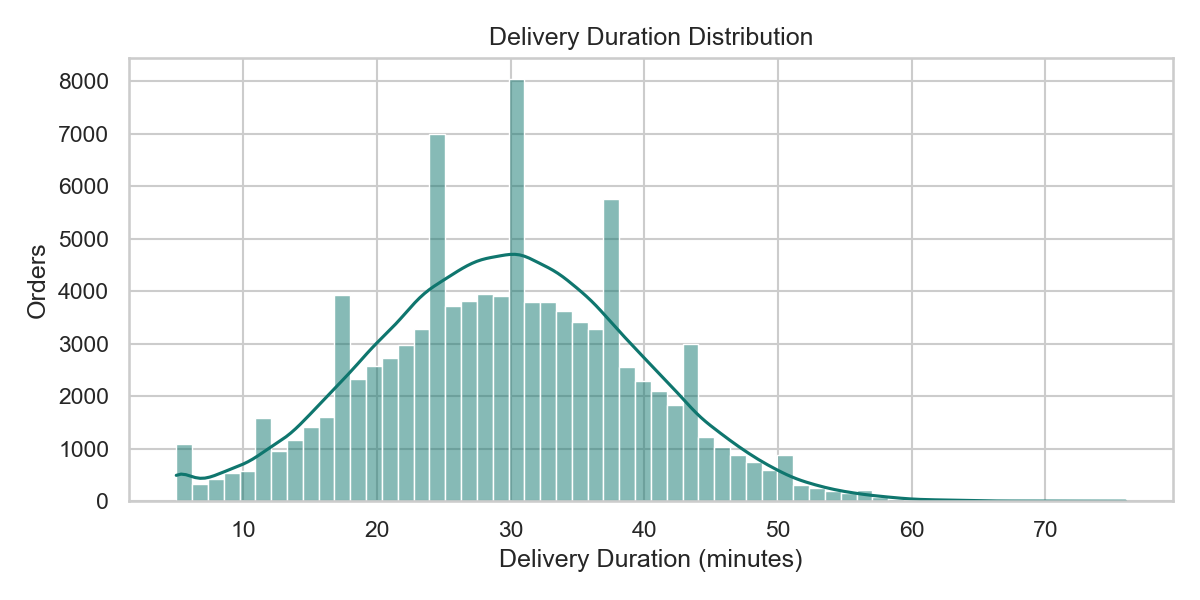
Shows the spread of delivery times and helps identify typical delivery windows and tail delays.
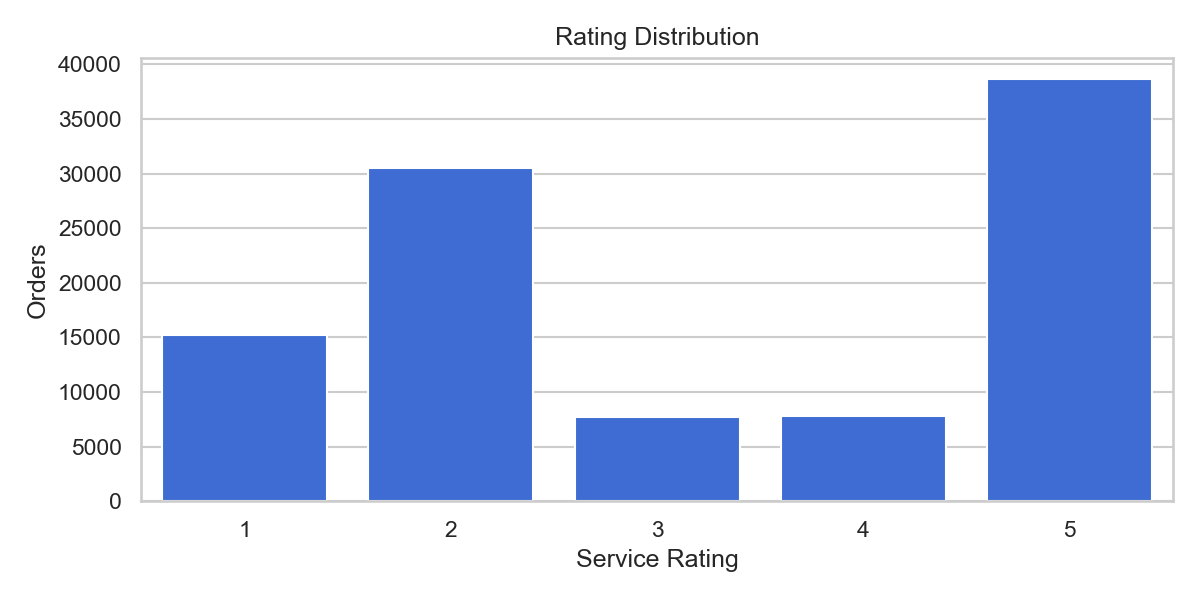
Shows how customer ratings are distributed across all orders and where satisfaction is concentrated.
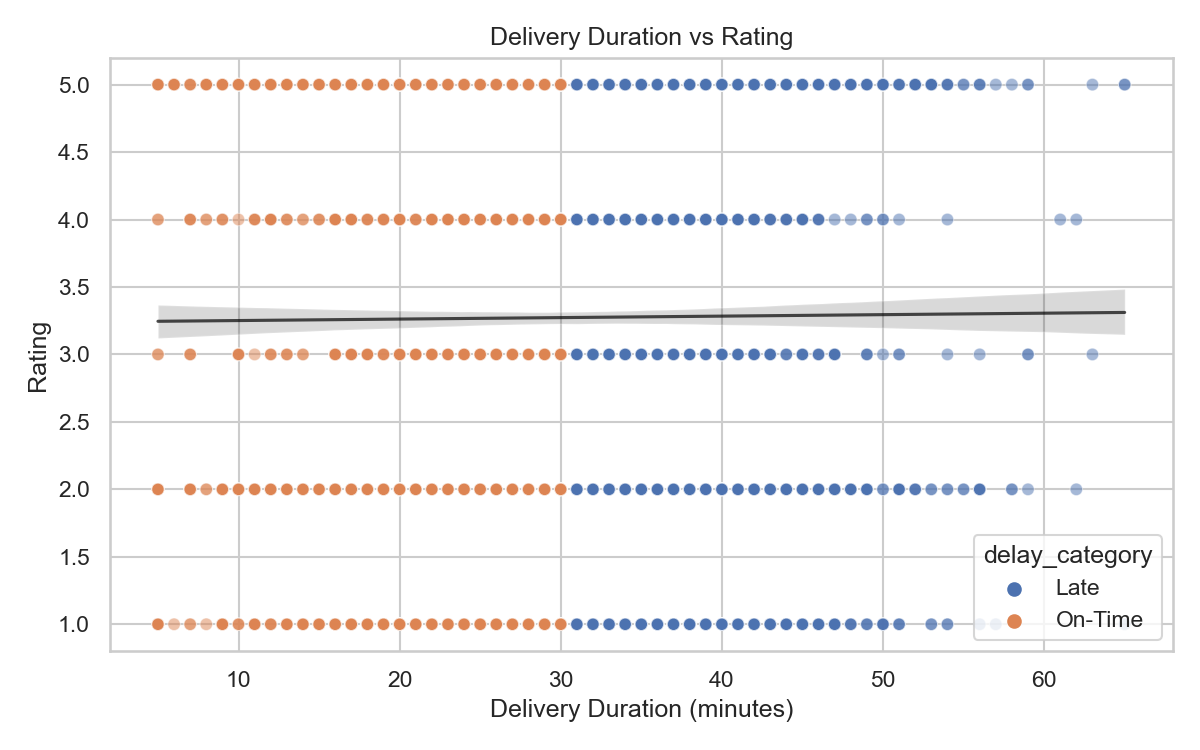
Compares delivery duration and rating per order to check whether slower deliveries reduce ratings.
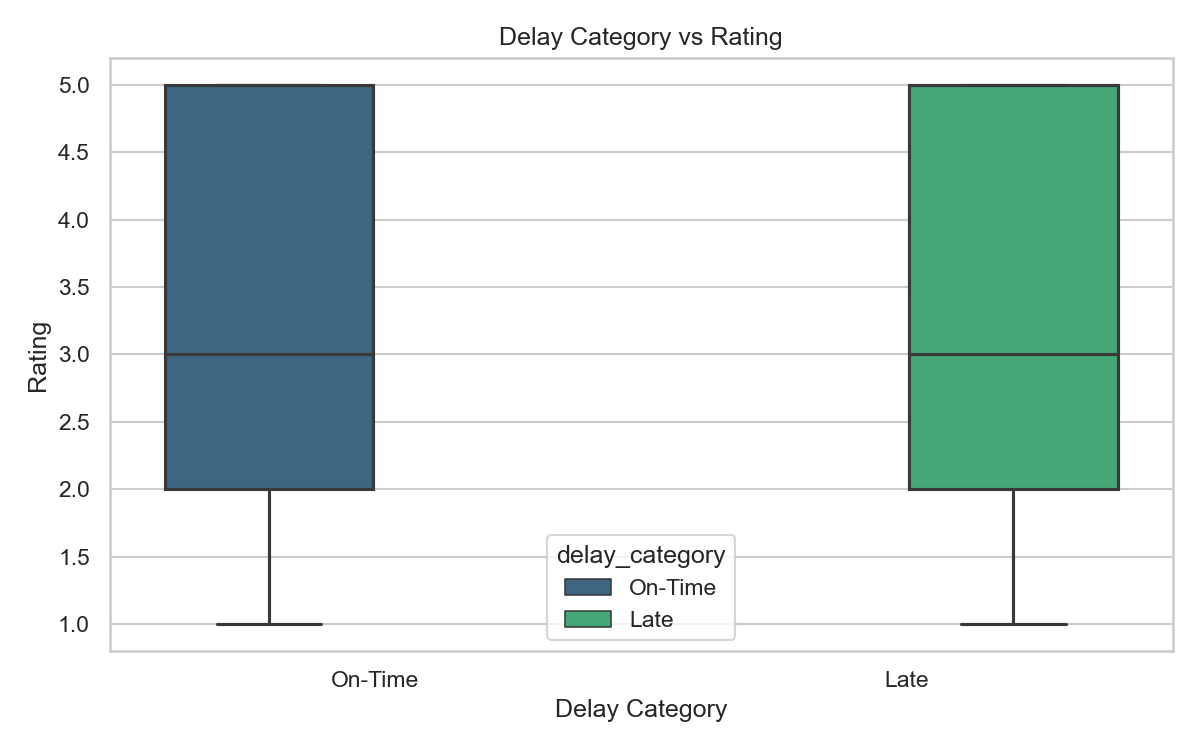
Compares rating ranges for on-time and late orders to highlight variation and median behavior.
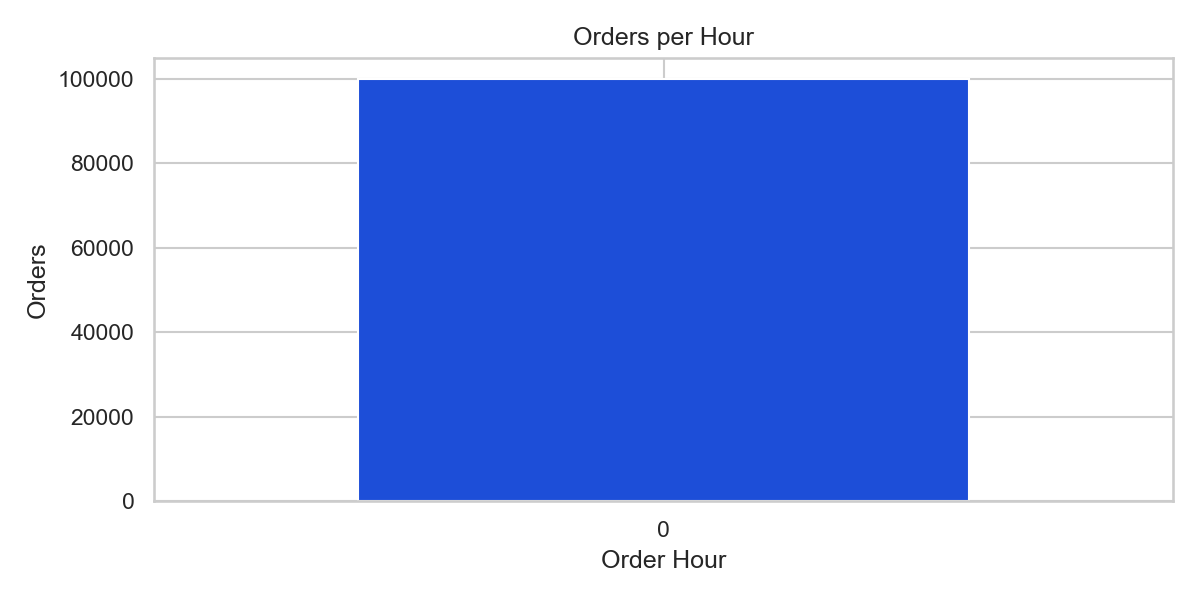
Shows order volume by hour. In this dataset, hour values collapse due to minute-second time format.
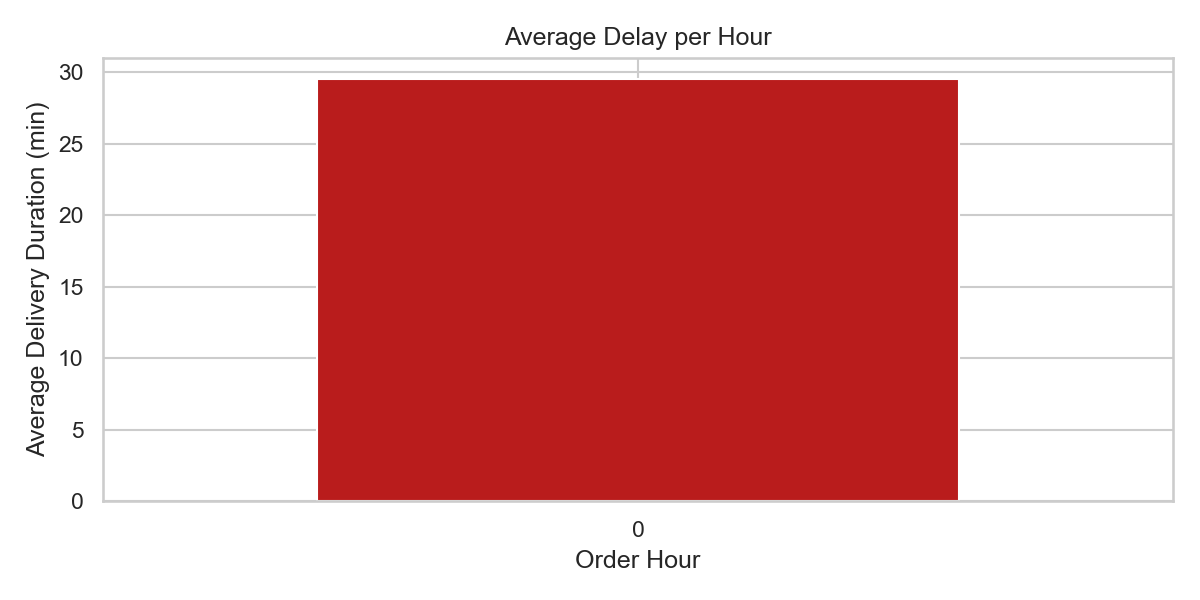
Shows average delay by hour. Useful for finding peak-delay periods when true hour data is available.
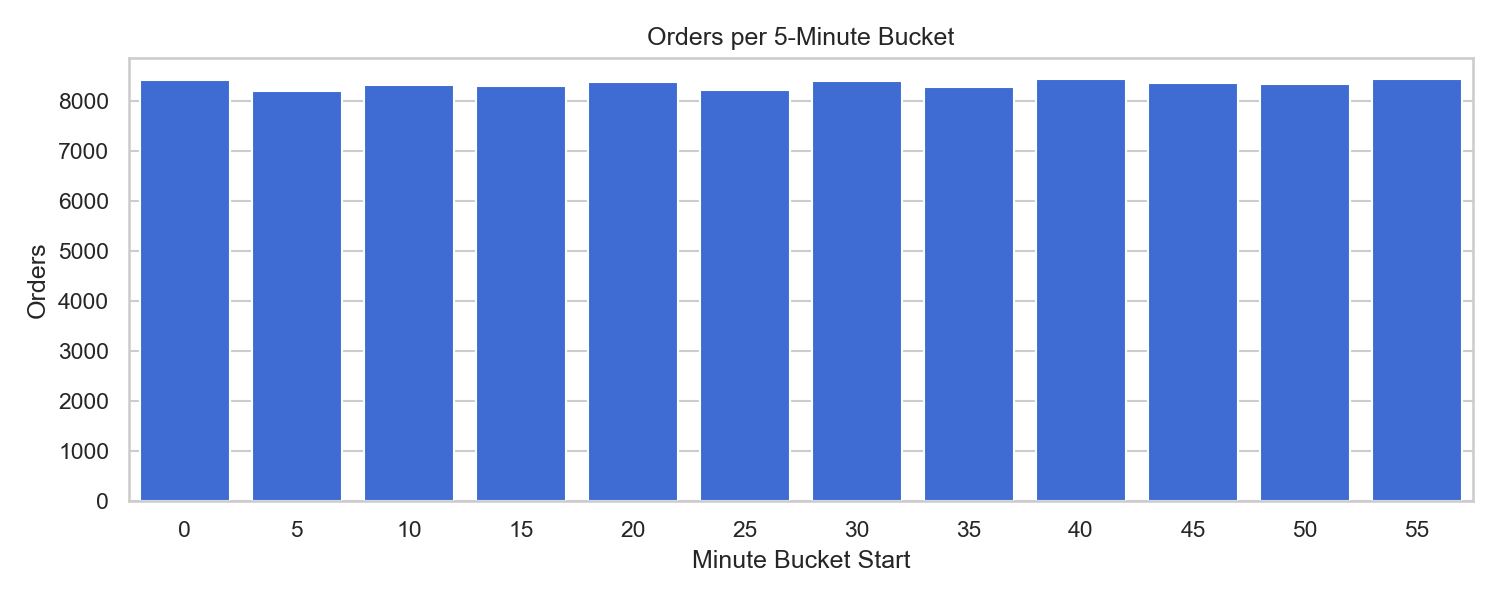
Fallback time analysis using 5-minute buckets when hour-level information is not meaningful.
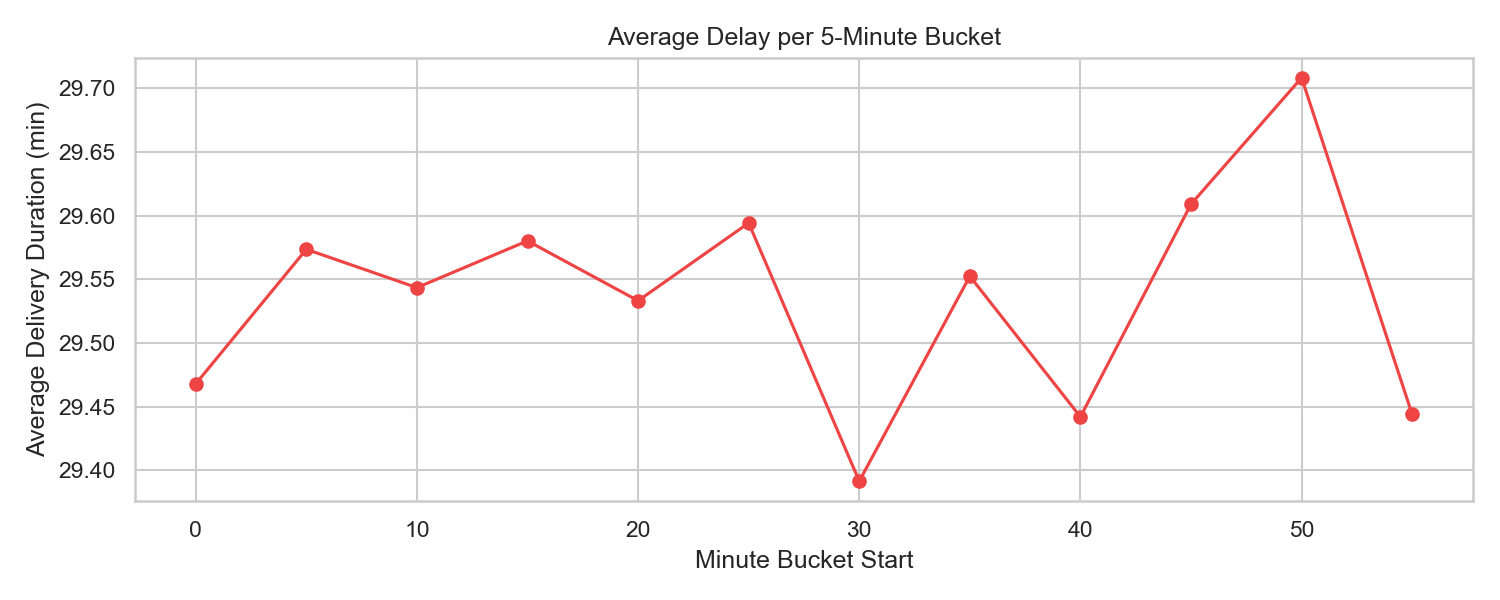
Shows delay fluctuations across minute buckets and highlights the bucket with highest average delay.
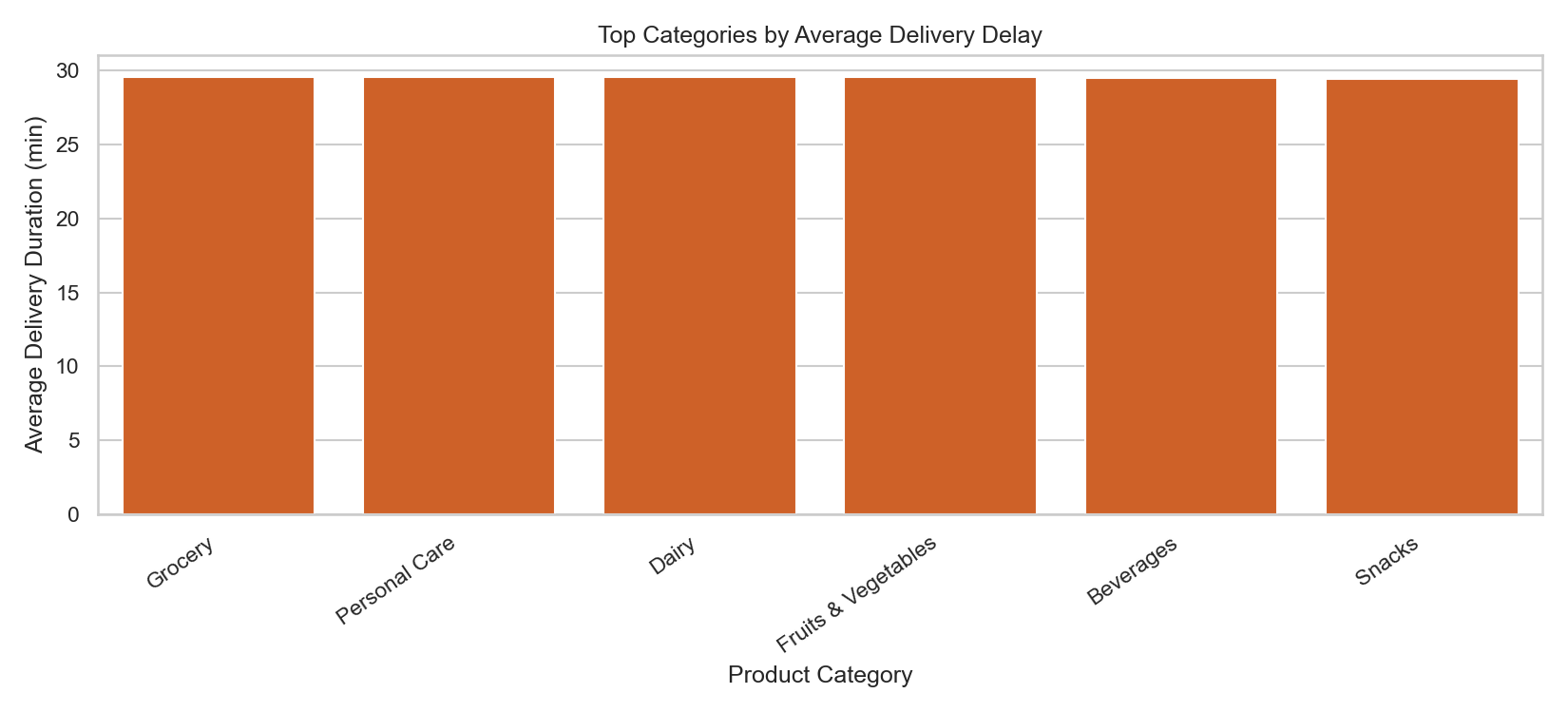
Compares average delay across product categories to identify the most operationally challenging segments.
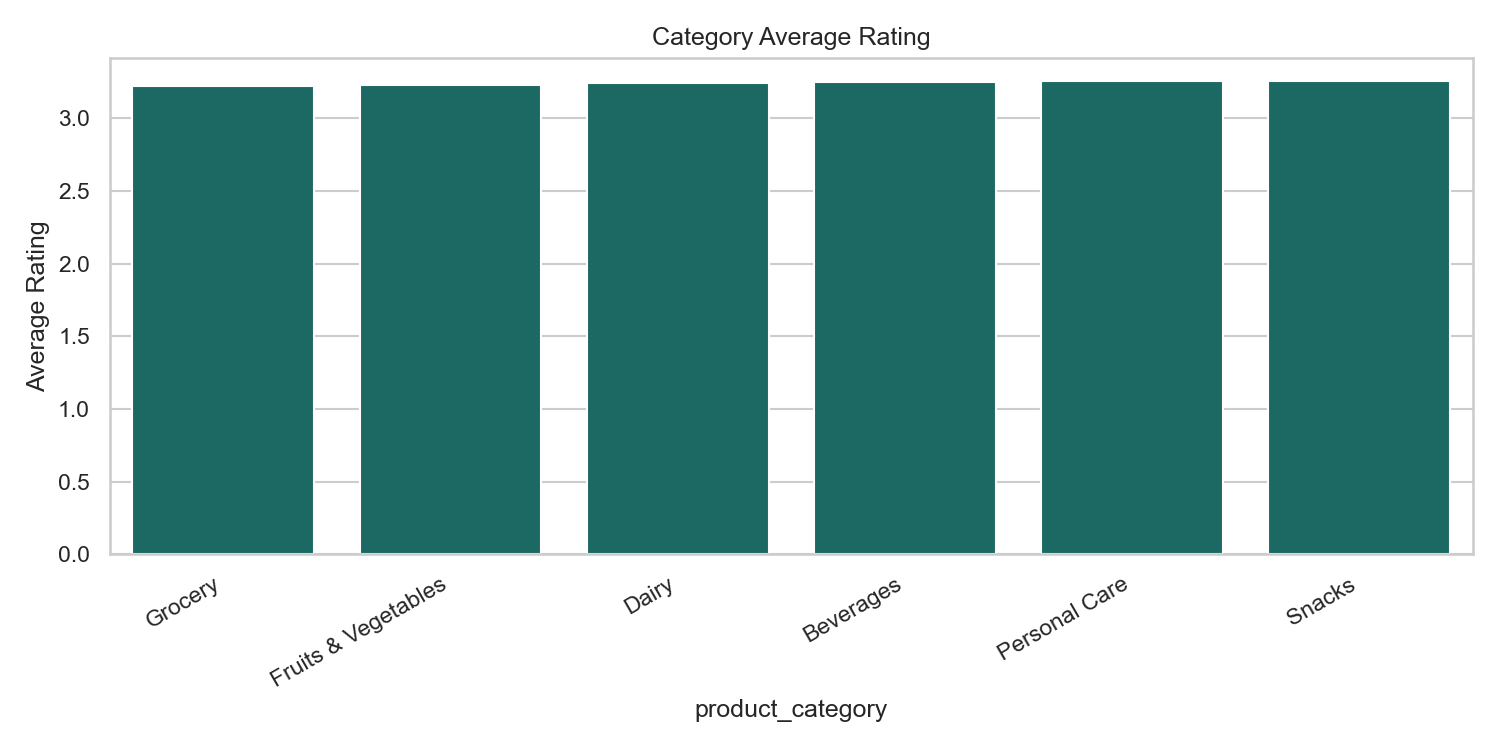
Shows which categories are rated lower and may need experience improvement.
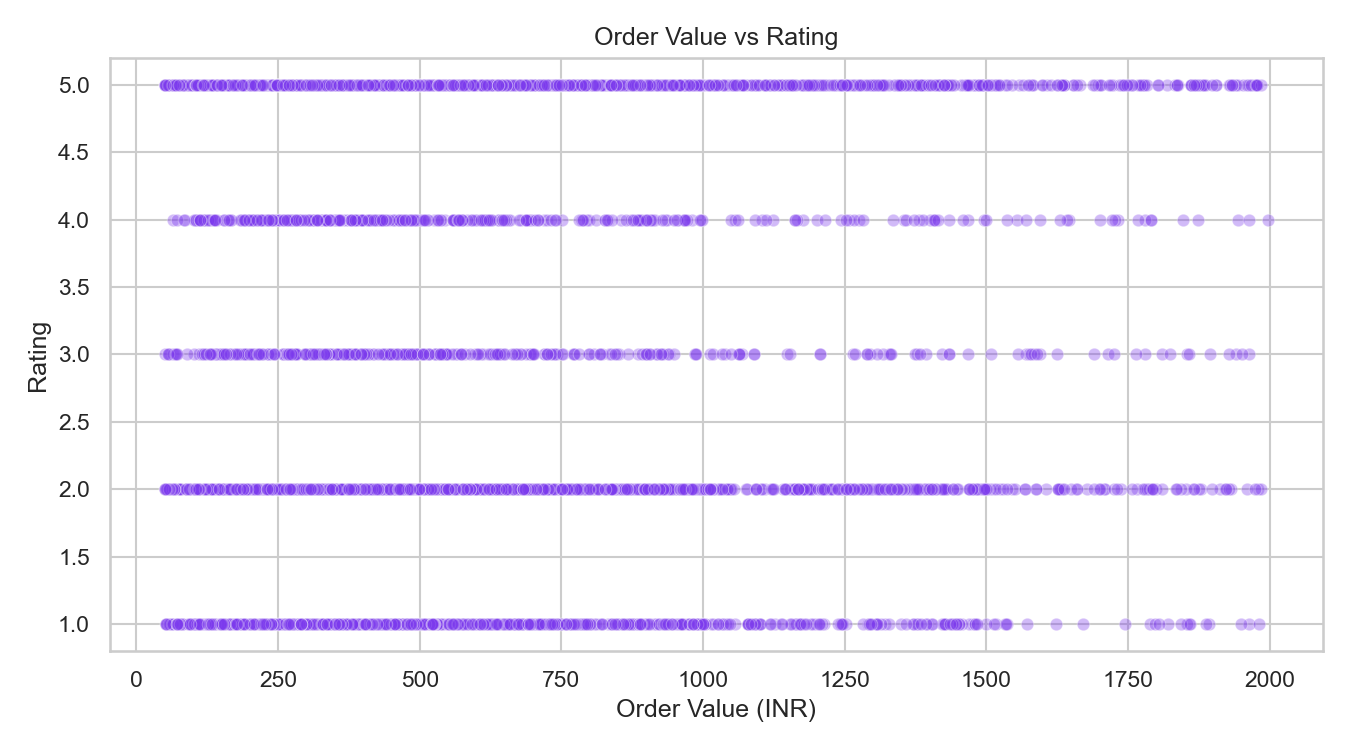
Checks if higher-value orders receive better ratings. In this case, correlation is near zero.
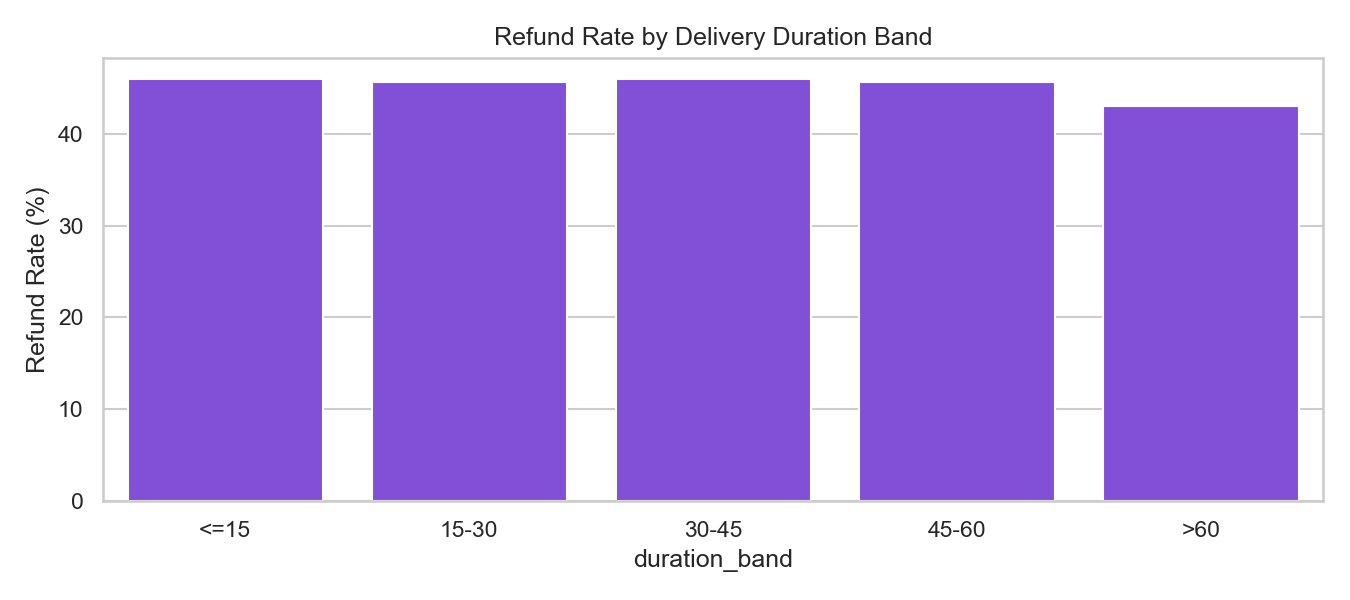
Shows how refund risk changes as delivery duration grows, useful for proactive customer recovery actions.
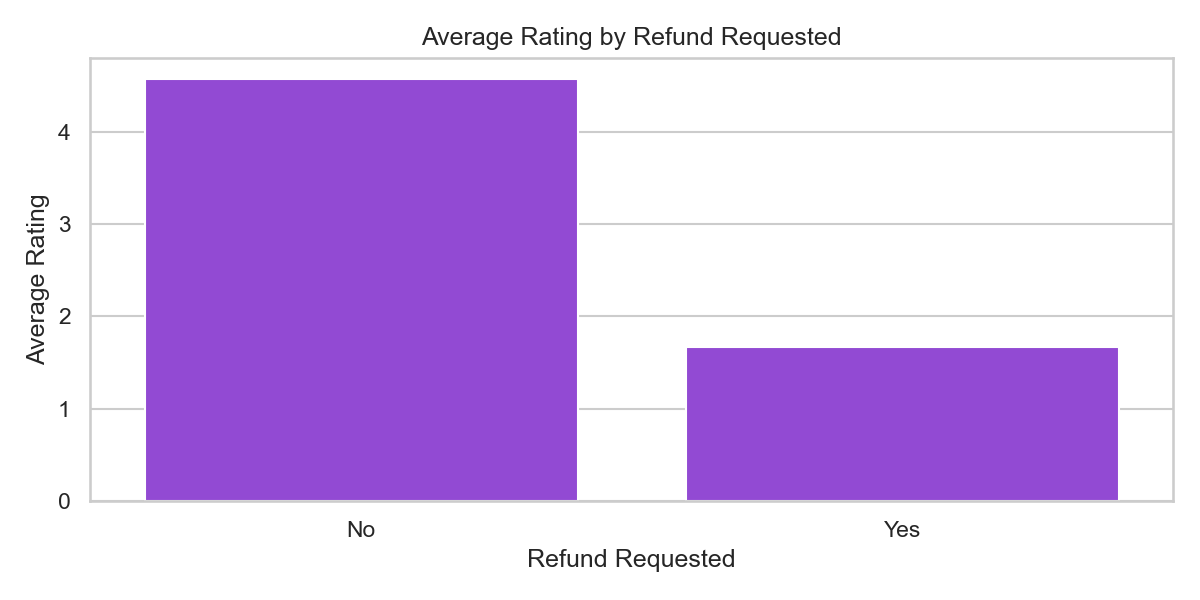
Compares average rating between refunded and non-refunded orders to measure satisfaction gap.
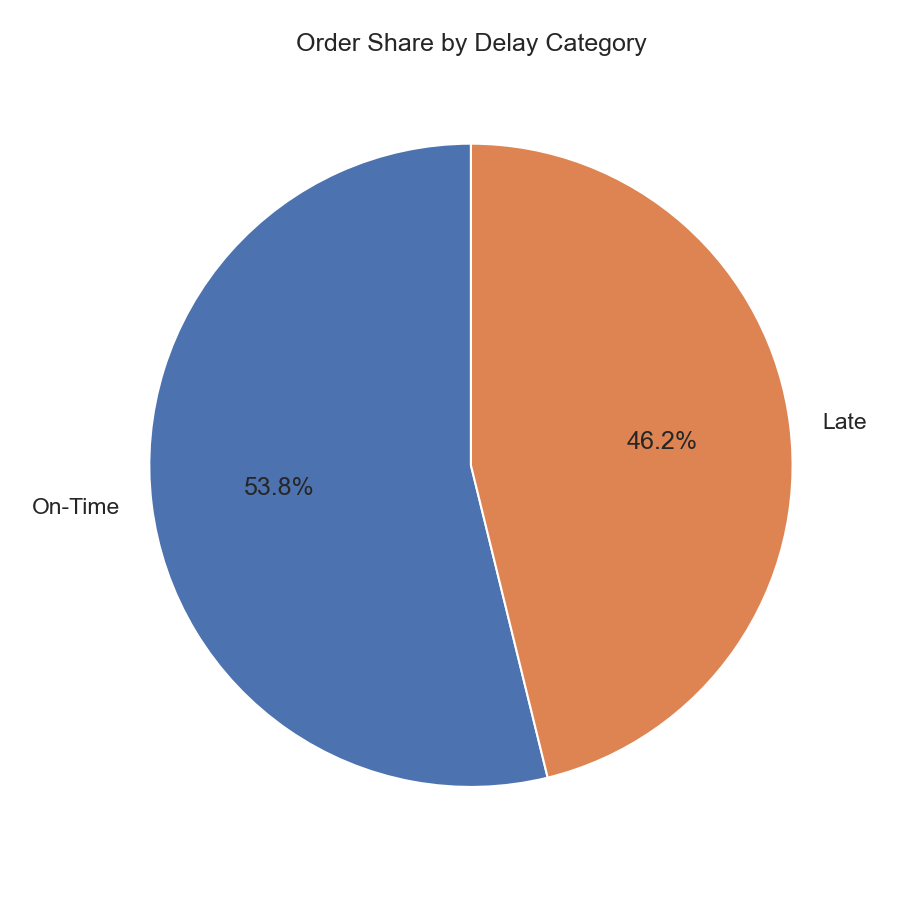
Shows the percentage split of On-Time vs Late orders for quick operational health tracking.
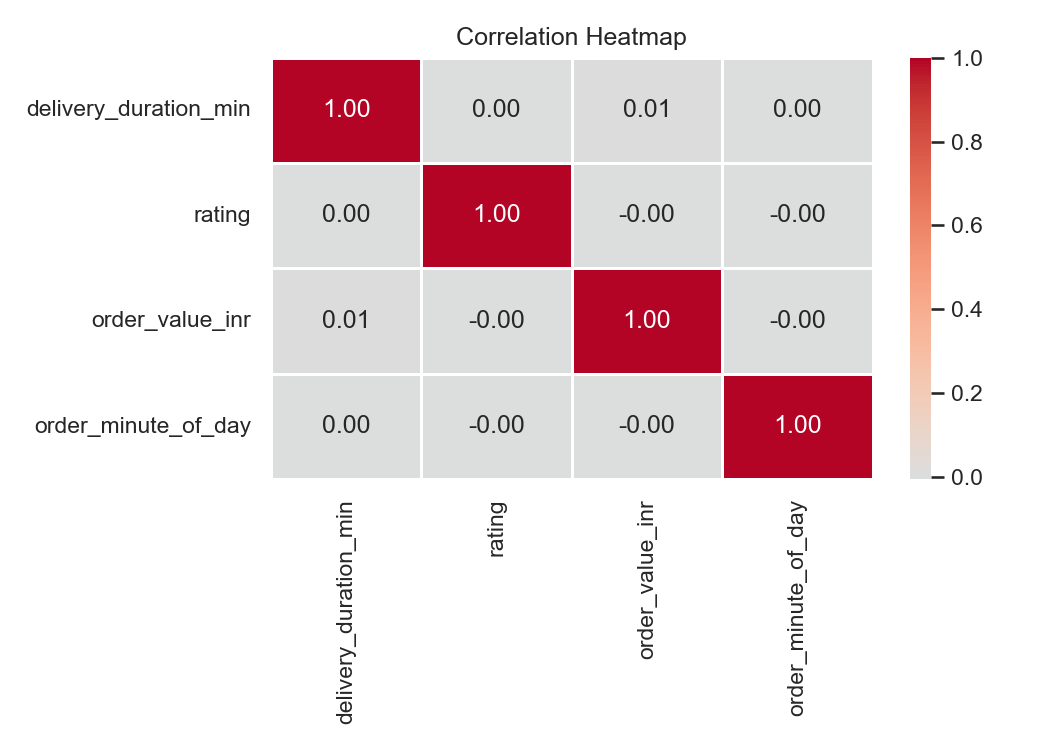
Summarizes pairwise relationships among key numerical variables used for diagnostic and model context.
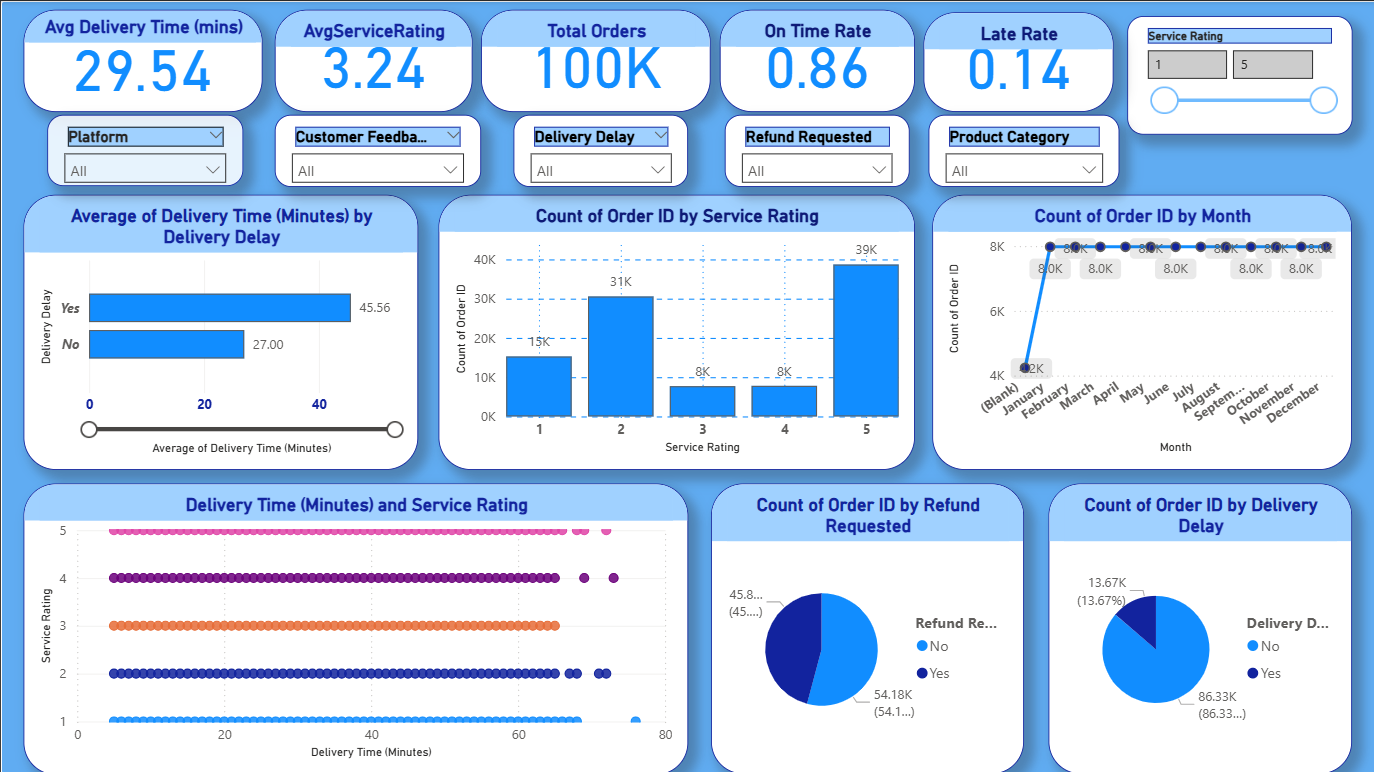
This dashboard brings the project findings together in one view. The top row shows the core KPI cards, followed by the main analytical visuals and slicers for filtering by delivery delay, platform, and service rating.
Important note: the monthly trend is based on a synthetic month column created from the row index, so it is useful for presentation but not a true calendar month analysis from the source CSV.